 Truck Watch
Sleep in the truck queue without losing your place.
Waiting for hours at the border, the port or a factory gate? While you rest, your phone keeps an eye on the truck ahead and wakes you at full volume the moment it moves.
- Works offline
- Rings even in silent mode
- Free for 7 days, no card needed
How it works
Setup takes a minute. The phone on the windscreen watches the trailer ahead while you sleep in the back.
-
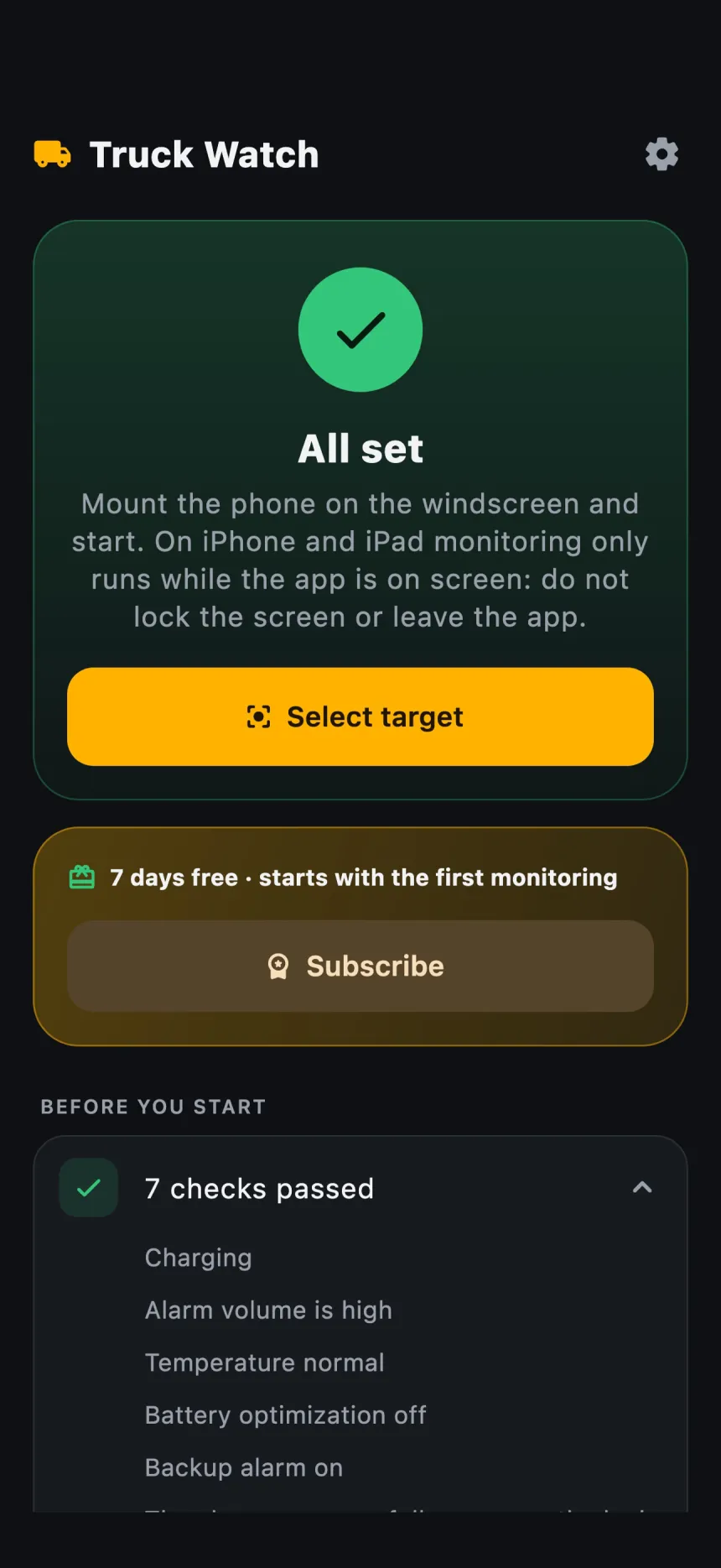
Mount the phone
Fix it to the windscreen, tap "Select target" and fit the yellow box to the back of the trailer.
-
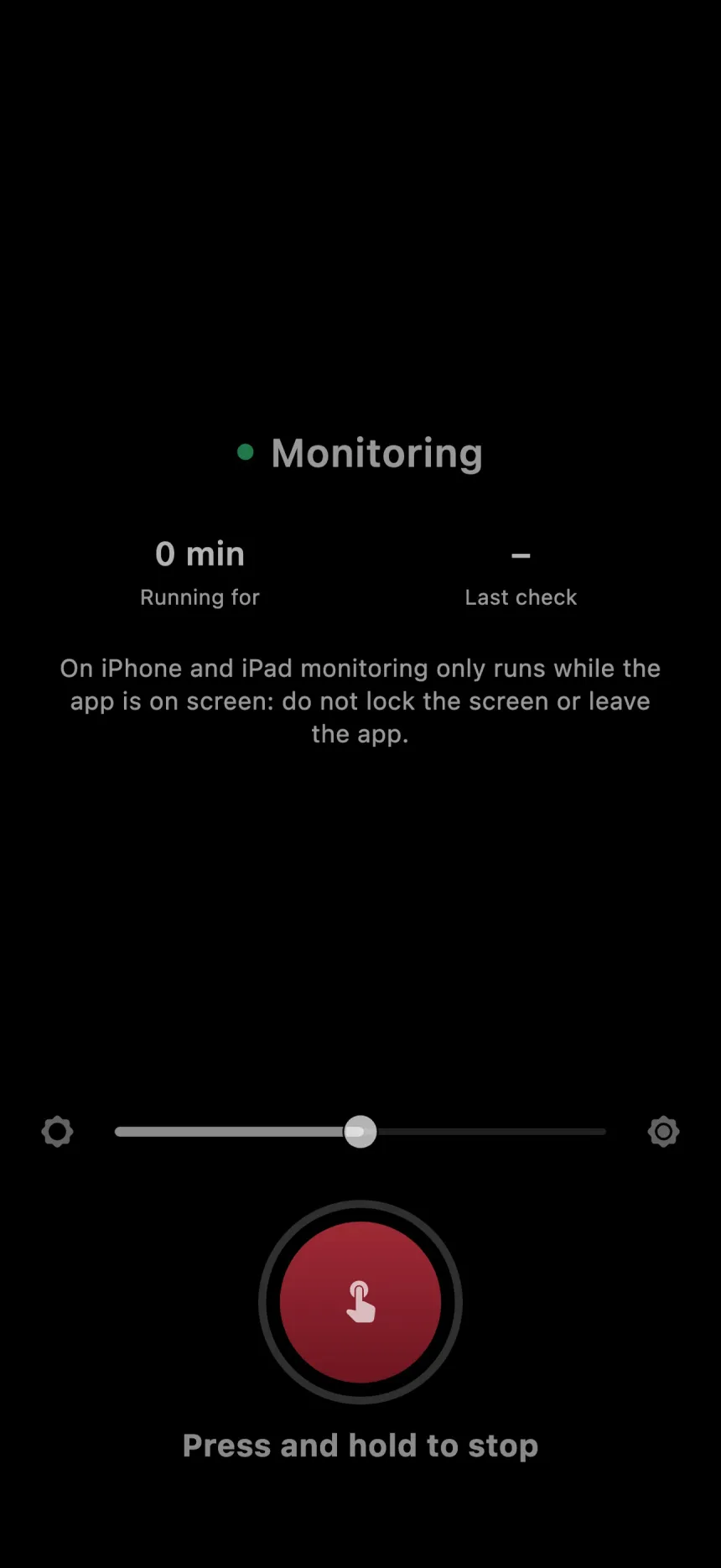
Set the alarm and rest
The screen dims and the phone keeps watching the vehicle ahead. Leave the rest to it.
-
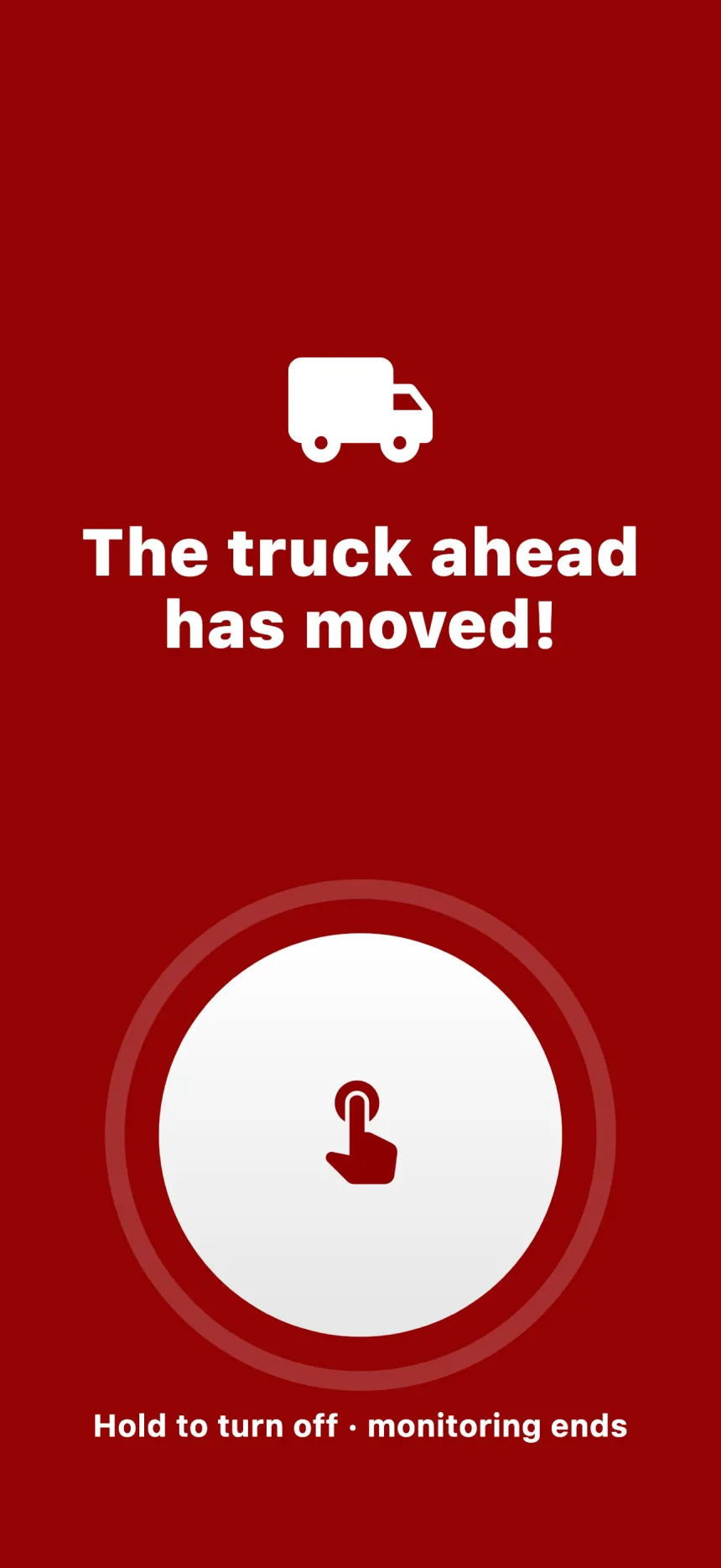
Wake up when it moves
The alarm sounds at full volume the moment the vehicle ahead pulls away. Hold for 1 second to stop it.
When it rings
Not only when the queue moves, but whenever monitoring is at risk.
-
The truck ahead moves off
At full volume, even in silent mode.
-
The camera loses the trailer
When the windscreen fogs up or the phone shifts.
-
The phone overheats
A phone baking in the sun warns you before it shuts down.
On iPhone and iPad, monitoring runs while the app is on screen: don't lock the screen or leave the app.
Where it helps
Made for truck drivers. It works like the "lead vehicle departure alert" in new cars, only on your phone.
-
Border crossings and customs
In truck queues that last hours, sometimes days.
- Kapıkule
- Hamzabeyli
- İpsala
- Sarp
- Habur
- Cilvegözü
- Gürbulak
-
Ports, Ro-Ro and ferries
While you wait to board a ship or ferry and the line creeps forward.
-
Factories, warehouses and weigh stations
While you wait at the gate to load, unload or weigh.
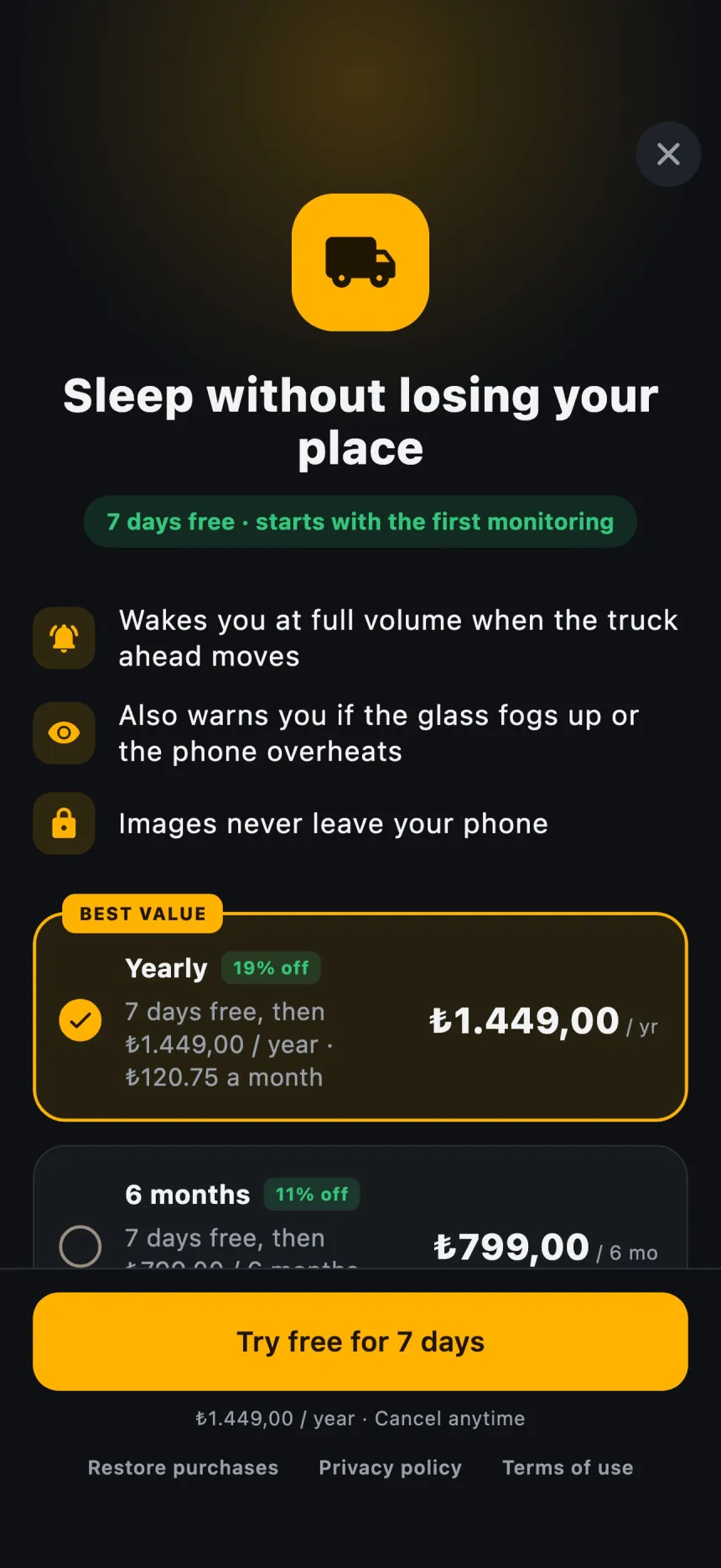
Pricing
7 days free, starting with your first monitoring. No card needed, nothing is charged when it ends.
- MonthlyRenews every month
- 6 monthsLower monthly cost
- Best valueYearlyLowest monthly cost
Prices for your country are shown in the app and the store. Manage or cancel any time in the App Store or Google Play.
Privacy
The camera image never leaves your phone.
Processed on the phone
Images are never saved or sent anywhere.
No account
Use it without signing up or giving an email.
No ads
No ads popping up while you sleep.
Questions
Anything else? Write to us: info@batuhanyetgin.dev
How do I not lose my place in a truck queue while I sleep?
Mount your phone on the windscreen so the rear camera sees the truck ahead. Truck Watch watches the vehicle ahead and sounds a loud alarm the moment it moves, so you can rest without losing your place.
Does it need internet? Does it work abroad?
Monitoring works offline; images are processed on the phone. You don't need roaming at the border or abroad. Connecting once a week is enough to verify your subscription.
Which phones does it run on?
iPhone and iPad with iOS 15 or later, and Android 10 or later. On iPhone and iPad, monitoring runs while the app is on screen.
Why didn't the alarm ring?
Make sure the phone is charging, the volume is up and the yellow box sits on the trailer. The "Before you start" list in the app shows what is missing.
Does it work at night or in fog?
Darkness, fog or a dirty windscreen can weaken the image. If the camera loses sight of the trailer, the alarm rings to warn you.
How do I cancel my subscription?
On iPhone: Settings → your name → Subscriptions. On Android: Google Play → Profile → Payments & subscriptions. Cancellation takes effect at the end of the period.
Sleep easy in the next queue.
Truck Watch is coming soon to the App Store and Google Play. The first 7 days are free.